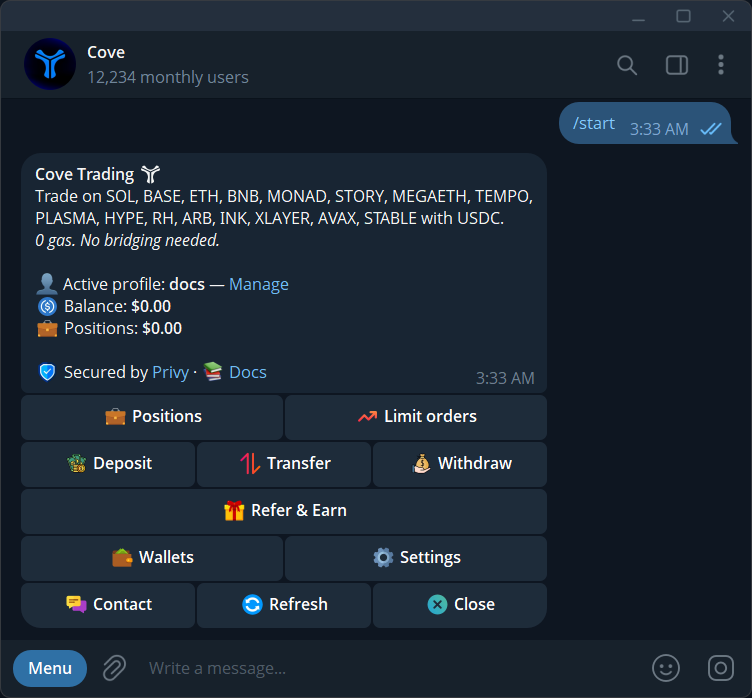
- Your spendable trading balance is USDC on Solana.
- Other-network deposits may be parked or still consolidating.
- Trading, deposit and withdrawal network support can differ.
The essentials
Cove brings supported cross-chain trades into one interface, using a spendable USDC balance on Solana. The phrase zero-bridging describes reduced manual setup for trading. It does not mean bridges never operate, every deposit is immediately spendable, or every trading network supports the same deposit and withdrawal routes.
1. Follow the funds through three separate stages
Funding is how assets arrive in a wallet. Making them spendable is how an eligible deposit reaches the trading balance. Trading is the later operation that acquires a target token on its supported network. Keeping these stages separate prevents a common mistake: treating a successful incoming transfer as proof that the money is ready for the next order.
The target token determines the trading chain. A symbol alone is not enough to identify that target, and a familiar address format does not establish the right network. Use the contract address and chain together. Check the current supported-network documentation and the product panel rather than relying on a chain list copied into an old article.
2. Start from spendable USDC when possible
The beginner funding guide uses USDC on Solana. Select the intended Cove wallet and copy its Solana deposit address. Match the asset and network at the sender, then check spendable Balance after arrival. For other routes, use the exact address shown: HyperEVM and Avalanche, where offered, have separate wallet addresses behind their reveal buttons rather than the standard Deposit EVM address.
Receiving a non-stablecoin token is different. It may appear as a holding with an option to convert to USDC. Review that conversion as a trade, including output and costs, rather than assuming that the token's displayed market value has automatically become purchasing power. Also account for any fee charged by the external sender.
3. Recognize spendable, parked and consolidating funds
Eligible stablecoins arriving on another network may need to move into the USDC trading balance. Ordinary newly generated or individually imported wallets now start with Auto-bridge enabled; admin bulk-imported wallets are an exception. Open /wallets → its settings → Auto-bridge to review or turn it off. Parked means funds await approval; consolidating means movement is in progress. Neither is the same as spendable.
For parked funds, open /bridge and inspect the wallet, token and network before approving the displayed movement. One approval handles that eligible balance; it does not automatically change the standing preference for future deposits. Below-minimum amounts may need a top-up before the route becomes available. Follow the live requirements, then verify completion and refresh Balance.
4. Work through an example with explicit checkpoints
Imagine you sent an eligible stablecoin to a supported deposit route and can see its arrival, but Balance has not increased. First match the destination address to the intended wallet. Then inspect its state. If it is parked, review the approval; if it is consolidating, follow the existing movement. This example intentionally does not assume an exact bridge duration or credited amount.
Once the balance is spendable, open the intended token, verify the network and review the selected wallet and quote. After any order, inspect the execution receipt. There are now distinct checkpoints for deposit arrival, balance readiness and trade completion, which makes both routine use and troubleshooting easier to follow.
5. Distinguish route convenience from market safety
Combining several operations behind an interface reduces the number of steps you perform. It does not remove the contracts, liquidity pools, network conditions or providers involved. A supported network is not a promise that every token on it has an executable route at your chosen size.
Review token identity, liquidity and the actual expected output. Price impact can increase when an order is large relative to available liquidity, while market changes can affect a pending quote. Avoid interpreting a high portfolio valuation as proof that the same amount can be sold immediately. Keep the trade decision separate from the convenience of reaching that market.
6. Plan the exit network as carefully as the entry
Trading support, deposit support and withdrawal support are separate capabilities. Before withdrawing, open the current Withdraw flow and confirm that the recipient accepts the exact network and asset offered. A token contract address is not the same as the recipient's wallet address.
Check the final recipient amount and follow the withdrawal's existing status. If funds or holdings appear missing during the process, inspect other profiles and display filters before creating another operation. For an unresolved route or balance issue, keep the transaction or receipt reference and the network details. Those facts are more useful than assuming a delayed step has failed.
Does zero-bridging mean no bridge is ever used?
No. Infrastructure can move assets between networks. Wallet preferences and the funding route determine whether eligible deposits move automatically or wait for an approval.
Does a deposit receipt mean I can immediately spend the amount?
Check Balance as well as the deposit receipt. Another-network stablecoin may still be moving, and a received token can remain a holding until you choose and complete a conversion.
Sources & further reading
Product settings and availability can change. Check the current documentation before using a feature. Educational content does not predict trading outcomes.
How we approach our content