Elysium guides

- Elysium mainnet uses chain ID 99901 and HYPE as its native currency.
- The official public RPC is https://rpc.elysium.kinetiq.xyz.
- Adding a network changes the wallet connection; it does not bridge funds.
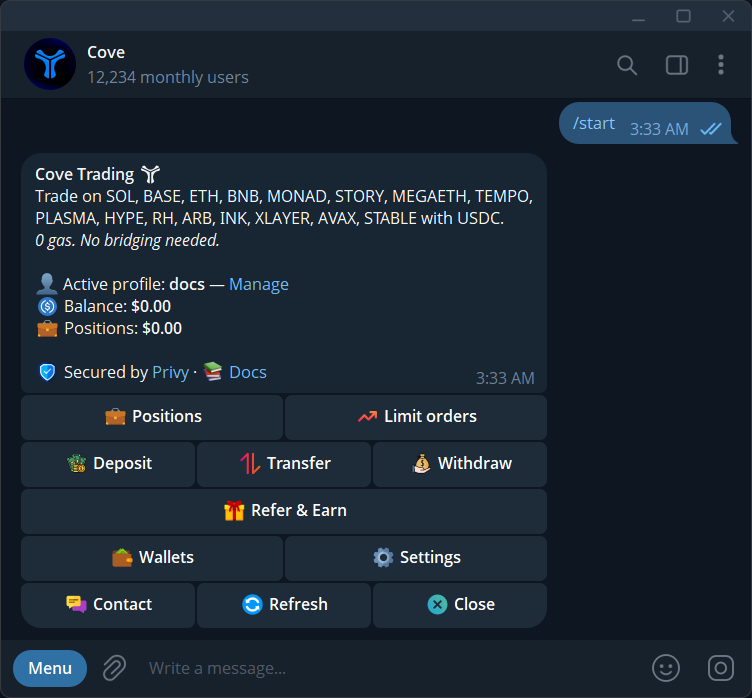
- For cove's Telegram workflow, start from your cove USDC balance and the token's Elysium contract.
Official Elysium mainnet settings
Use these details for Kinetiq's Elysium, the Hyperliquid ecosystem Layer 2 that launched on November 9, 2026. The settings come from Elysium's Connecting to Elysium documentation. They identify the network; they do not identify a token or establish that an application is trustworthy.
The public endpoint is shared infrastructure. It is suitable for getting connected, while the documentation recommends a provider endpoint for production applications. A slow public endpoint can affect what a wallet displays without proving that the whole chain has stopped.
- Network name: Elysium.
- Chain ID: 99901.
- RPC URL: https://rpc.elysium.kinetiq.xyz.
- Native currency symbol: HYPE.
- Block explorer URL: https://elysium.kinetiq.xyz/explorer.
Add Elysium to MetaMask or another EVM wallet
Open your wallet's network selector and choose the option to add a custom network. Labels differ by wallet and version. Copy the RPC, chain ID, currency and explorer from the official network documentation, review the values, then save the network. Confirm that the selected entry shows chain ID 99901 before using an Elysium application.
A website may offer to add the network automatically. Read the wallet prompt instead of accepting it because the site uses an Elysium logo. Check the chain ID and endpoint against the official source. Adding a network does not require sharing a recovery phrase or private key, and it does not transfer your existing assets.
99901, 99801 and 999 are different networks
Elysium mainnet is 99901. Elysium testnet is 99801, with the separate endpoint https://testnet-rpc.elysium.kinetiq.xyz. HyperEVM mainnet is 999. Switching among these entries can show the same wallet address but different balances and transactions, because each network maintains its own state.
Test tokens are for development and do not become mainnet funds when you change the network selector. The older Vulcan Forged chain also uses the Elysium name. If a tutorial points you to elysiumchain.tech, PYR or LAVA, it concerns that separate ecosystem. Use the Kinetiq domain to resolve the ambiguity.
Why your wallet can connect but show no funds
A network entry tells the wallet where to read data and submit transactions. It does not move your HYPE or USDC from another chain. For direct wallet activity, you need assets on Elysium and enough native HYPE there for transaction fees. Follow the official bridge instructions if you intend to bring assets from HyperEVM.
A token may also be present on-chain but missing from the wallet's display. Check your address in the explorer first. If the transfer exists, import the verified Elysium token contract using your wallet's token-display controls. Do not use a HyperEVM token address merely because its symbol matches, and do not send funds again just to make a balance appear.
Check a network or RPC error in order
First verify the selected chain ID and the spelling of the endpoint. Next compare the wallet's latest transaction with the official explorer. A pending submission, a confirmed transaction and a stale balance display need different responses. Keep the transaction hash and inspect its status before trying the action again.
If the public RPC is unavailable, consult the official list of providers rather than copying a replacement from a random reply. An RPC controls the data your wallet receives, so changing it deserves the same attention as changing an application URL. Developers can use the documented Alchemy endpoints with their own API key; ordinary wallet users do not need to publish any key.
Do you need custom RPC settings to trade with cove?
cove's Elysium trading flow starts in Telegram with a USDC balance and a token contract. You do not need to configure an external wallet's custom RPC simply to use that flow. cove's launch announcement confirms Elysium trading without a manual bridge step.
Keep the network distinction even when the interface handles routing. Verify that the token result is on Elysium, inspect the quote for your intended amount and read the receipt after execution. The chain hub links the trading guide and the contract checks you can use before choosing a token.
Sources & further reading
- Elysium: Connecting to Elysium
- Elysium: Building on Elysium
- Elysium: Contract addresses
- Elysium: Token bridging
- cove: Elysium is live
Product settings and availability can change. Check the current documentation before using a feature. Educational content does not predict trading outcomes.
How we approach our content