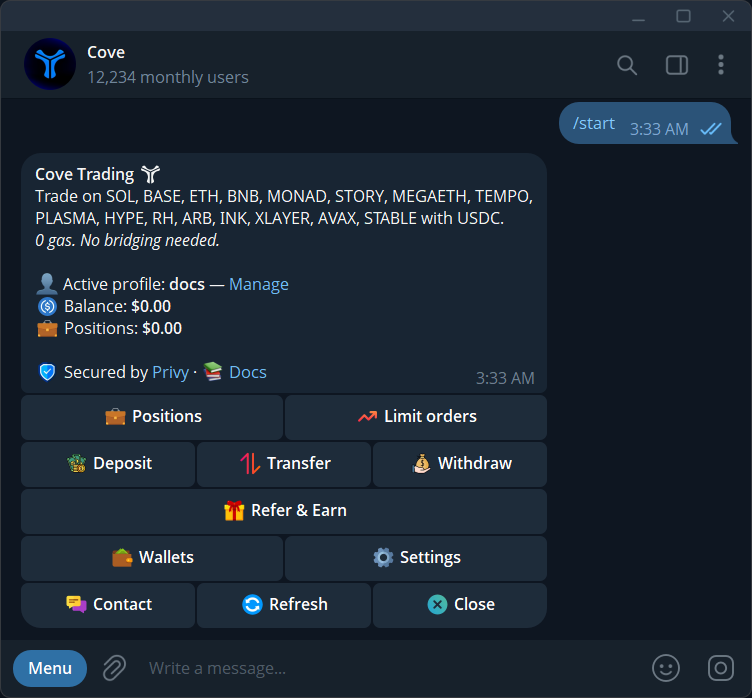
- Gas sponsorship and trading fees are separate.
- A gas surplus budget can permit additional costs automatically.
- Liquidity and token restrictions need their own review.
The essentials
Gasless trading means you can use a supported trading flow without preparing a separate native gas balance for every network. The blockchain still charges for execution. To understand a quote, separate who pays that network cost from platform fees, route costs and changes in the token price.
1. Separate the cost categories
Network gas pays for processing a blockchain operation. A trading platform can arrange that payment for the user. This changes the funding experience; it does not make the underlying network free or ensure that every possible action is sponsored.
Platform fees pay for the trading service. Venue or pool fees can affect a swap's output. Price impact describes the effect of your order on the available price, while slippage concerns a change between the quoted and executed result. Calling all four items gas makes it difficult to compare routes or understand why the received amount differs from a simple dollar conversion.
2. Understand Cove's sponsorship and fees
Cove documents gas sponsorship with a default cap of $5 for trading and eligible transfer actions. Withdrawals have separate route and sponsorship rules. The fee page's standard buy schedule is a $0.95 minimum below $95 and 1% at or above that amount; Ethereum and HyperEVM use separate tiers. These are documentation figures, not a live quote. Check the specific chain and action.
As a fee-only illustration, a $20 standard-chain buy has a $0.95 platform fee under that schedule, equivalent to 4.75% of $20. Sponsoring gas does not eliminate that minimum. This arithmetic excludes market movement, venue costs and any other applicable charge; it is not an estimate of tokens received.
3. Decide how additional gas is approved
Open Settings → Guardrails → Gas surplus budget in the intended profile. The current default is a $10 per-trade authorization ceiling for eligible gas above Cove's sponsorship cap. Cove charges only the qualifying overage, not a flat $10. Set the budget to $0 if you want a separate approval request for an eligible overage. Existing profiles that had a $0 value were migrated to the $10 default, so check the saved value even if you previously chose zero.
The budget is permission to spend an additional amount, not a discount and not a promise that an order will succeed. Changing Auto-pay gas up to after a failure configures future behavior. It does not complete the failed trade or recreate a stopped order. Check the original operation's result before deciding whether to place a replacement.
4. Review a quote without double-counting
A practical review starts with total spending and the received amount. On Cove's interactive buy receipt, Spent includes the trading fee; it is not a fee-exclusive amount with a separate fee still to add. The sell receipt reports Received in USDC. Use the actual receipt to reconcile the trade instead of subtracting the same fee again from a displayed total.
For example, imagine two hypothetical routes with the same displayed network charge but different expected token outputs. That is a reason to inspect liquidity and venue pricing, not evidence that one gas calculation is wrong. Compare like with like: the same token, network, size and moment. A screenshot from an earlier market state cannot establish the current executable price.
5. Keep funding and withdrawal costs separate
A trade, a deposit conversion and a withdrawal solve different tasks. When sending funds into Cove, also review the sending wallet or exchange's network choice and fees. A received token may need conversion before its value becomes spendable USDC; that conversion has its own quote and liquidity conditions.
For an external withdrawal, inspect the source wallet, destination network, recipient asset and final recipient amount. The withdrawal guide distinguishes an entered amount from Max: fees can be added on top of a partial amount or deducted from a maximum withdrawal. An operation being submitted means processing has started, not that the recipient has already received the funds.
6. Respond to the actual reason for a failure
An unavailable route, a token transfer restriction and insufficient liquidity are different from a gas overage. Increasing a gas budget cannot make a restricted token sellable. Raising slippage also changes the acceptable execution price; it should not be treated as a universal repair button.
Read the latest refusal or receipt, then check the specific input it identifies. If the operation is pending, wait or investigate its reference. If the quote is stale, review a new quote. If the route cannot be assessed reliably, pause rather than assuming the displayed token price guarantees an executable trade. Keep enough detail to explain the event to support.
Should I hold native gas on every trading network?
Cove's supported sponsored flows are designed to remove that preparation step. External wallets and actions outside those flows can have different requirements; check the exact action you are taking.
Does gas sponsorship improve the token's liquidity?
No. It changes how network costs are handled. Liquidity, price impact and the available route still determine the execution opportunity and need their own review.
Sources & further reading
- Fees and gas sponsorship
- Trading guardrails and gas budget
- Deposit funds
- Withdraw funds
- Troubleshooting
Product settings and availability can change. Check the current documentation before using a feature. Educational content does not predict trading outcomes.
How we approach our content