Elysium guides

- Elysium uses HYPE for network gas; cove's spendable trading balance remains USDC on Solana.
- cove sponsors eligible gas up to its published $5 cap; gasless does not mean that every part of a trade is free.
- The gas-surplus budget authorizes eligible extra cost and is separate from the sponsorship cap.
- Compare expected output at your actual order size, then use the final receipt for executed amounts.
What pays for gas on Elysium?
Elysium mainnet, chain ID 99901, uses HYPE as its native gas asset. HYPE on Elysium and HYPE on HyperEVM are separate network balances, even when an EVM wallet shows the same address. Holding HYPE on one network does not by itself provide gas on the other.
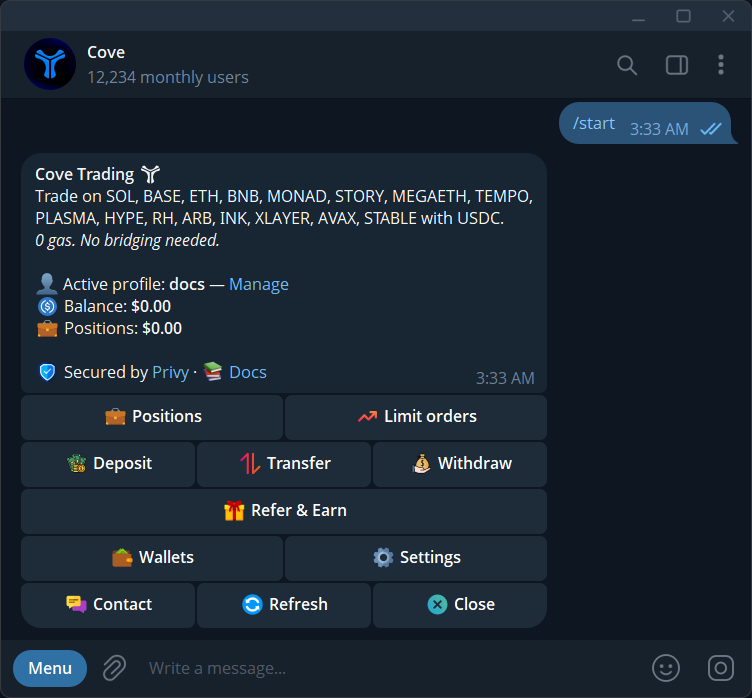
In cove's supported trading workflow, you spend from a USDC balance on Solana and cove sponsors eligible network execution. That removes the need to manually prepare a gas balance on each destination just to follow the supported buy flow. If you use a separate wallet or another application directly, its gas requirements and transaction approvals are separate.
Separate the four parts of the quote
A trade can include a cove platform fee, network execution cost, liquidity-venue fees and price impact from the amount you trade. These affect the overall result in different ways. Slippage is the movement you permit after the quote; it is not an extra commission paid to cove.
The public fee schedule lists a standard buy fee of 1% with a $0.95 minimum and a standard sell fee of 1%. It also lists separate schedules for networks such as Ethereum and HyperEVM. Do not apply a HyperEVM fee category merely because Elysium also uses HYPE. Read the current Elysium quote and the linked fee documentation for the charge on your actual action.
- Platform fee: cove's charge for the trade, including any applicable minimum.
- Network cost: execution gas, with eligible sponsorship and any authorized surplus.
- Venue fees: costs in the underlying swap route, reflected in quoted output.
- Price impact: how your size changes the available execution price relative to liquidity.
How the $5 gas sponsorship works
cove publishes sponsorship of up to $5 in eligible gas per trade or supported action. Sponsorship covers network execution within the applicable policy; it does not erase platform fees, swap-venue costs or price impact. A low gas cost therefore does not establish that a large trade in a thin pool is inexpensive overall.
If an eligible extra network cost remains above the separate sponsorship allowance, the product can use your saved Gas surplus budget or ask for approval. The quoted qualifying cost matters. Do not add a maximum allowance to every trade as if it were a fixed charge.
Review the saved gas-surplus budget
Open Settings → Guardrails → Gas surplus budget in the active profile. The current documented default is $10 per trade. This is an authorization ceiling for eligible additional network cost, not a $10 sponsorship cap and not a flat $10 fee. Only the qualifying rounded-up overage is charged, subject to the saved limit and available USDC.
A saved budget can authorize an overage without another prompt. If you want a separate decision before eligible extra gas, save $0 and verify the displayed value. An October 2026 migration changed previously saved zero budgets to the default, so inspect the current setting instead of relying on an old choice. Increasing this budget does not repair missing liquidity or guarantee a successful trade.
Small trades and deposits have separate constraints
The published minimum buy is $1 and the minimum sell on most networks is $0.50, subject to route conditions. A minimum trade size is different from the platform-fee minimum. As an arithmetic illustration of the published standard schedule, a $50 buy has a $0.95 platform-fee component because 1% is only $0.50. That example does not quote an Elysium fill or include every route cost.
Funding costs are also separate from later trading fees. An inbound EVM deposit that must be bridged into the USDC trading balance can carry a provider infrastructure cost. The exact credited amount depends on that route. Choose only an asset and network shown in Deposit, then check the deposit and bridge receipts before treating the balance as ready to trade.
Compare output, then reconcile the receipt
Review the token contract, chain, selected wallets, actual size, expected output, fee and any surplus notice together. Quotes for two different sizes are not necessarily proportional: the larger trade can reach worse liquidity. Higher slippage can permit worse execution without reducing that price impact.
After execution, read actual Spent and Received amounts for each wallet. A display estimate cannot replace the final receipt. If a quote is unavailable or the action remains pending, resolve that status before assuming the fee was charged or requesting a replacement.
Sources & further reading
- Elysium: bridging HyperEVM tokens to Elysium
- cove Docs: fees and gas sponsorship
- cove Docs: gas surplus and trading guardrails
- cove Docs: deposit funds
- cove Docs: buy and sell tokens
Product settings and availability can change. Check the current documentation before using a feature. Educational content does not predict trading outcomes.
How we approach our content