- Dynamic is a take-profit sell style that tries to exit in smaller pieces when selling the full allocation would move the price too far.
- Cove chooses piece sizes from live quotes and attempts to sell at the target price or better; you do not choose a piece count or retry interval.
- The unsold remainder can wait until the price and liquidity allow another piece, or expire without filling. It is not a guaranteed exit.
Why sell style matters in thin liquidity
A take-profit condition can fire while a token has too little liquidity for your entire sell allocation at the target. One large market sale can move the quote against you. Cove's Dynamic style tries a smoother exit: it sizes smaller pieces from live quotes when needed and seeks the target price or better for each piece.
This changes the execution approach, not the profit trigger you choose. It cannot create liquidity or guarantee a fill. A token may move away from your target before the remaining amount can sell. Compare the trade receipt and remaining position rather than treating an order trigger as a completed exit.
Choose Dynamic on a manual take-profit
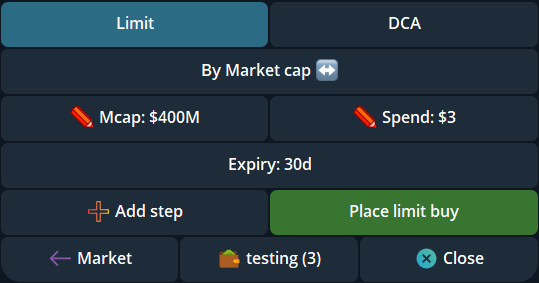
Open a holding in the intended Cove profile and selected wallets. In Limit → Selling → Limit, choose an upward trigger and the sell allocation. Review the Manual TP/SL basis in Settings → Trade panel settings: a percentage can start from the current market or each wallet's entry at order placement. Select Dynamic instead of Market for that take-profit step, then check the target, wallet set, size and expiry before creating it.
Dynamic is available for take-profit steps. Stop-loss steps remain Market. Market style attempts the whole take-profit allocation at the available quote when the trigger fires; Dynamic may leave part of it waiting. Multiple manual steps can have their own sell style, so inspect each one.
Use the style for future automatic exits
Settings → Auto TP/SL lets you configure future automatic take-profit levels after eligible successful buys. Choose Dynamic as the sell style for those levels if you want quote-sized exits. Review the trigger percentages, sell-size basis and profile before enabling the setting. Manual TP/SL basis and Auto TP/SL entry reference are different controls; changing one does not rewrite orders already placed.
After a buy, open /orders and verify the actual orders created. An Auto TP/SL Incomplete notice means a configured exit needs attention. Do not infer that the setting alone guarantees every future buy receives a valid order.
Follow the remainder and expiry
Open the token's order list to inspect a Dynamic sell plan, remaining allocation, next check, price floor and expiry. It may wait for a quote that meets the floor; the remainder may never sell before expiry. Cancellation stops the unfinished plan, not pieces that already completed.
Actual proceeds also depend on liquidity, routing, fees and market movement. Dynamic is designed to reduce the impact of a large immediate sell under some conditions, but no sell style promises a particular return or avoids every failure. Check the order history and wallet balance before placing another exit for the same position.
Sources & further reading
Product settings and availability can change. Check the current documentation before using a feature. Educational content does not predict trading outcomes.
How we approach our content