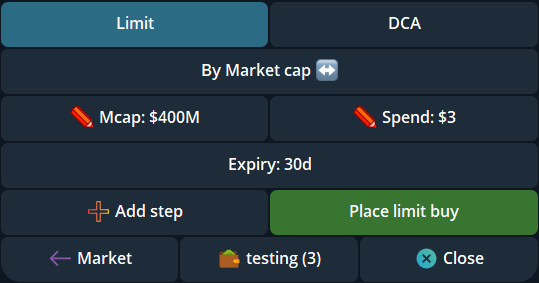
- Time Interval DCA attempts a finite number of market orders at a chosen interval; a price ladder waits for separate market-cap targets.
- Choose 2–20 orders per wallet and a total buy amount or sell percentage. Review the combined count and per-order size before placing the plan.
- An optional market-cap range can pause a due piece. Missed intervals do not become a burst of catch-up trades.
Time Interval or Price ladder?
Cove offers both modes under Limit → DCA. Price ladder creates separate limit orders across a market-cap range. Time Interval starts a standing plan that attempts one market order per interval while the market satisfies any range you set. The modes can reach very different prices and fill at different times.
A Time Interval plan is finite, with a chosen order count and expiry. It is not an indefinite daily purchase subscription. Price ladder supports 2–10 rungs per wallet; Time Interval supports 2–20 planned orders per wallet.
Set up a timed buy or sell plan
Open the token in the intended Cove profile, check the network and selected wallets, then choose Limit → DCA → Time Interval and Buying or Selling. Set 2–20 orders per wallet. Choose a buy amount or sell amount preset, or enter a custom total. Cove divides that total across the planned orders; a sell percentage applies to each selected wallet's own holding.
Choose an interval of 1m, 5m, 15m, 1h, 4h or 24h, or use Custom from one minute to 24 hours. The initial interval shown in the documented panel is 15m. Review the preview, combined order count, per-order size and expiry before placing the plan. A small total split many ways can fail minimum-size checks or make costs proportionally larger.
Use a range only when you need one
You can set Min mcap, Max mcap, both, or neither. Without bounds, the timer determines when Cove checks for the next piece. A buy with Max mcap does not intentionally execute above that cap; a sell with Min mcap does not intentionally execute below that floor. If both are set, Min must be below Max.
When the market is outside the chosen range at a due check, the piece waits. The duration estimate assumes the market stays eligible, so a plan may take longer or expire before every piece runs. The next eligible evaluation attempts one piece; Cove does not fire every missed interval at once.
Check progress in your orders
Open /orders in the right profile and inspect the Time Interval plan for its progress, remaining amount, next check, price range and expiry. You can cancel the remaining plan. Cancellation does not reverse pieces that already traded.
Each attempted piece uses the applicable quote and trading settings when it runs; placement is not a guaranteed fill or price. Check the execution receipt and actual wallet result before retrying an uncertain or partially completed action. Each executed piece can carry its own trading cost.
Sources & further reading
Product settings and availability can change. Check the current documentation before using a feature. Educational content does not predict trading outcomes.
How we approach our content